
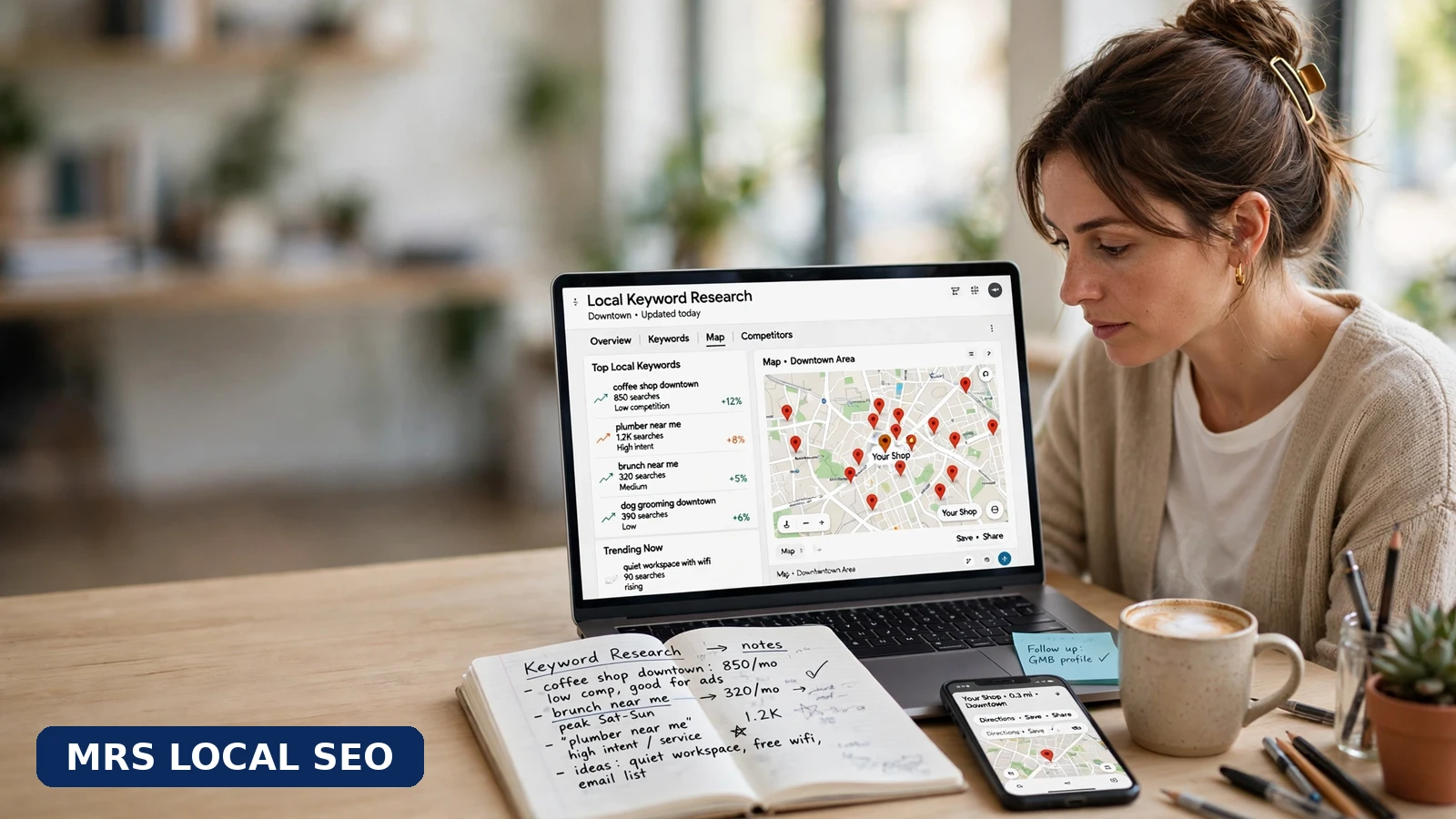
The best free tools for local keyword research are Google Autocomplete, Google Search Console, Google Keyword Planner, Google Business Profile Performance and Google Trends. Together, they cover the four jobs that matter: finding the words customers use, checking whether those words matter in your city, seeing what you already rank for, and deciding which pages to build or improve.
This guide compares the local keyword research tools a small business can use without paying. It covers free limits, what each tool does well, what it cannot do, and a worked example for one service in one city.
Free limits change often. Where I couldn’t confirm a limit on the tool’s own site, the table says so rather than guessing. I checked the limits for this article on November 7, 2026.
The free tools at a glance
| Tool | Free access | Best for | Local-keyword use |
|---|---|---|---|
| Google Autocomplete and People Also Ask | Free, no account | Real phrasing | Expand “service + city” ideas |
| Google Keyword Planner | Free with a Google Ads account | Volume bands by location | Compare candidate phrases |
| Google Search Console | Free, site ownership required | Queries you already appear for | Find pages to strengthen |
| Business Profile Performance | Free for profiles you manage | Terms that surfaced your profile | See how customers find you |
| Google Trends | Free, no account | Seasonality | Time content and offers |
| Bing Webmaster Tools | Free account | Bing query data for your site | Secondary check |
| AnswerThePublic | Free plan, daily cap (reported ~3) | Customer questions | FAQ and guide ideas |
| Ubersuggest | Free tier, daily cap (reported ~3) | Quick idea checks | Spot-check phrases |
| WordStream Free Keyword Tool | Free; cap unverified | Fast suggestion lists | Early brainstorming |
How each free tool works for local keywords
Google Autocomplete and People Also Ask
Google says Autocomplete predictions reflect real searches done on Google. Type “plumber” and a city, then add each letter of the alphabet to see completions. People Also Ask boxes on the results page work the same way for questions. They are useful for FAQ content and for spotting the exact words customers use, such as “cost,” “near me,” “emergency” or “open now.”
Google Keyword Planner
Keyword Planner is built for advertisers, but you can use it for research. Google’s help describes two paths: discovering new keywords from seed words or a URL, and checking volume for a list you already have. You can filter by location to see whether a term matters in your area, not just nationally. You need a Google Ads account, and the help pages say setup includes billing information. Industry sources also note that accounts without ad spend usually see broad volume ranges rather than exact figures, so treat its numbers as comparative rather than precise.
Google Search Console
Search Console shows what your site already earns. Its Performance report lists queries with clicks, impressions, click-through rate and average position. A page that gets impressions for a local phrase but few clicks is a strong candidate for a title or content update. It only knows your own site, so it can’t suggest phrases you have never appeared for. Google also omits anonymized queries, which are rare searches, so the list is incomplete.
Google Business Profile Performance
Google Business Profile (formerly Google My Business) includes a Performance section. Its searches metric shows the terms people used when your profile appeared. Google says it updates at the start of each month. Use it to check whether customers find you by your business name, your service or a generic term such as “plumber near me.”
Google Trends
Trends shows relative interest on a 0–100 scale, not search counts. Google’s own training material explains that values are normalized to the highest point and that low-volume terms can show as zero. That makes it good for timing (“furnace repair” interest in winter, “air conditioning” in summer) and weak for comparing exact demand.
Bing Webmaster Tools
A free Bing Webmaster Tools account shows queries that surfaced your site on Bing. That is useful as a second opinion, especially if some of your customers use Bing, but it covers a smaller share of search than Google.
AnswerThePublic, Ubersuggest and WordStream
- AnswerThePublic turns a seed phrase into questions and comparisons. Its pricing page describes a free plan with a limited number of searches a day. Third-party reviews put that limit at about three searches a day.
- Ubersuggest offers a free tier. Reviews put it near three searches a day, but I couldn’t confirm that on Ubersuggest’s own site, so treat it as reported rather than verified.
- WordStream’s Free Keyword Tool (now under LocaliQ) is described by WordStream as free. Third-party write-ups report that it shows a limited number of suggestions and may need an email address. I couldn’t verify a cap on its own site.
All three are good for brainstorming. None replaces Google’s own data.
A worked example: one service in one city
This example is hypothetical. Imagine a small plumbing company serving Austin, Texas.
- Seed. Write ten phrases in customer language: “plumber austin,” “emergency plumber,” “water heater repair,” “drain cleaning,” “leak detection,” and so on.
- Expand. Run those through Autocomplete and People Also Ask, and note recurring modifiers like “emergency,” “cost,” “near me” and “south austin.”
- Check your own data. Look in Search Console and Business Profile Performance for terms already appearing.
- Compare. Put the shortlist into Keyword Planner with Austin selected and compare volume bands.
- Time it. Use Trends to see whether water-heater searches rise in colder months.
- Map. Assign each keyword to one place, as below.
| Keyword | Search intent | Where it belongs |
|---|---|---|
| plumber austin | Broad, ready to hire | Homepage; Business Profile primary category |
| emergency plumber austin | Hire now | Dedicated service page |
| water heater repair austin | Hire now | Service page |
| drain cleaning south austin | Hire now, neighborhood | Section on the service page |
| tankless water heater cost austin | Researching | Guide or FAQ page |
| why is my water heater leaking | How-to | Blog guide |
“Plumber near me” needs no page of its own. Google decides “near” from the searcher’s location, so your job is to make the homepage and Business Profile clearly relevant to plumbing in Austin, not to chase the phrase itself.
What free tools cannot do
Free tools give volume bands, not exact counts, and they rarely show reliable keyword difficulty, competitor rankings or backlink data. They also struggle with very local, low-volume phrases: a term searched a handful of times a month may show no data at all. That doesn’t mean it is worthless. For a small business, a handful of ready-to-hire searches can be more valuable than a high-volume term that brings browsers.
Common mistakes
- Treating one tool’s numbers as exact. Use them to compare, not to forecast.
- Chasing high-volume national terms instead of city-plus-service phrases.
- Ignoring the words customers actually use.
- Collecting hundreds of keywords that never map to a page.
Doing it yourself or hiring help
A small business can do a first pass alone. As a rough judgment, expect two to four hours for an initial list and mapping for one service area. If the process feels unclear, this guide on how to do local keyword research for any city or service walks through the process step by step.
What to measure, and how soon
No tool or tactic can guarantee a ranking, and Google’s guidance is clear that local results depend on relevance, distance and prominence. Keyword research mostly supports relevance. You can’t control distance. As a judgment-based rhythm, track these milestones:
- Month 1: shortlist mapped to pages; Business Profile categories and services match it.
- Months 2–3: watch Search Console impressions for your target phrases.
- Months 3–6: compare Business Profile search terms, calls and direction requests with earlier months.
Rankings can move slowly or not at all, so track trends, not single days. For upkeep, see how often to update your Google Business Profile.
Keep the research honest
Keywords shouldn’t push you into shortcuts. Google’s representation guidelines say your Business Profile name should reflect your real-world name, so don’t stuff keywords into it. The same applies to reviews: never pay for or fake them. If a tactic depends on misrepresenting your business, skip it.
Frequently Asked Questions
What are the best free tools for local keyword research?
Start with Google Autocomplete, Keyword Planner, Search Console, Business Profile Performance and Google Trends. That combination covers discovery, volume, existing performance and timing without paying for a tool.
Are free keyword research tools enough for a small business, or do I need a paid tool?
Free tools are usually enough to start. A small business needs a focused list mapped to real pages, not a huge database. Paid tools add competitor data and more precise volumes, but they are not required to build a solid first shortlist.
Can I do local keyword research myself, or should I hire an expert?
You can do a first pass yourself with the workflow above. Consider help if you serve many areas, have many services, or want the research repeated regularly.
How does local keyword research affect my Google ranking?
It helps your relevance by aligning your pages and Business Profile with the words customers use. It does not change your distance from the searcher, which is the other major local factor.
Is Google Keyword Planner really free?
Yes, there is no fee, but it requires a Google Ads account, and accounts without ad spend are often shown broad volume ranges instead of exact numbers.
Conclusion
Free tools are enough to build a solid keyword shortlist. Use each for what it does best, treat the numbers as comparisons rather than forecasts, and map every keyword to a page or a Business Profile field. If you want a grounding in the wider picture, read what local SEO is, then work through the complete local SEO checklist for 2026. When you want an expert eye on the local keyword research tools and process behind your own plan, MRS Local SEO is happy to help.
Sources (checked November 7, 2026): Google Ads Help, Use Keyword Planner; Google Business Help, Improve your local ranking, Performance metrics, Guidelines for representing your business; Search Console Help, Performance report; Google Search Help, Autocomplete; Google News Initiative, Understanding Trends data. Free-tier caps for third-party tools come from vendor pages and 2026 reviews and may change.